Box Drive quit working after updating MacBook Pro to Ventura 13
Terminée
Box Drive is not showing up in my Finder. I followed instructions when I got the error per the article, but I am unable to Restart Box Drive or get it to work. Is there a compatibility issue with MacBook Pro's Ventura 13 and Box Drive?
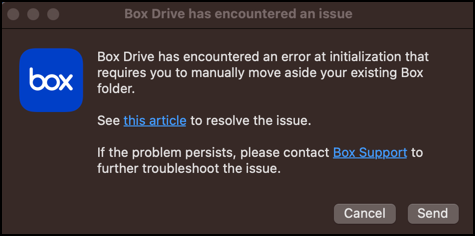
-
Thanks Rona. I received an email from Box support giving same instructions which I followed but no success. The article instructs to Restart Box Drive, which is something that has no other instruction. How does one RESTART Box Drive. I do not see it in my Finder and have searched for it to "restart" with no success. I attempted to install only to receive a message that it was running. I have no idea "where" it is "running". I am waiting to hear back from Box support ticket on hopefully how to Restart Box Drive.
-
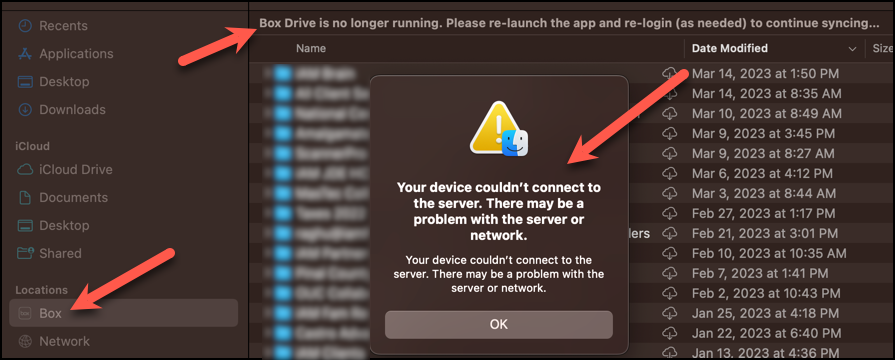
Here is what I am seeing now. Box is actually showing up in Locations, but you will note all the messages I point out in the screenshot. When I attempt to "Refresh Box Folder" in the drop down, I get this message about connectivity. I still need to understand how to RESTART Box Drive.... or if that is NOT the solution, I need to know what is. Thank you.


Vous devez vous connecter pour laisser un commentaire.
Commentaires
4 commentaires