
Can't log into Box Drive for Desktop due to login being associated with Google Account
Answered
I'm stuck - I can't log into the Box Drive for Desktop application - it opens a chrome tab where I put in my email, then it goes to the google authentication page which prompts me to enter my google password, and then it just loops back to log in again. On the 2nd log in attempt it opens Box in the chrome browser but does not process the "login" on the desktop app.
-

I had this issue, and yes, box support seems to be totally oblivious to this issue and just gives canned responses. It has been an issue for quite some time where the app redirects to a browser for sign in, but after signing in within the browser, it does not send your credentials back to the app. Until they decide to fix this the only way around it (on a windows computer) is to use the following registry entry that keeps the app from redirecting the login to the browser in the first place.
HKEY_LOCAL_MACHINE/SOFTWARE/Box/Box LoginWithExternalBrowser REG_DWORD 0
you can run this from an elevated command prompt (run as admin):
reg add "HKEY_LOCAL_MACHINE\SOFTWARE\Box\Box" /v "LoginWithExternalBrowser" /t REG_DWORD /d 0 /fClose and reopen BoxDrive, then log in.
-

This "solution" that seems to be the only one Box Support can find to copy and paste everywhere about this issue dose not work.
If we cannot login to the app in the first place, it never gets the chance to make the folder we're being told to delete to "reset" box drive.
That's not how computers work.
Why would it create a folder for an account it won't even let us login to?
It's never given the chance to even know what folder to create.
I downloaded the program an hour ago, for the first time, it shouldn't need to be reset.
I CAN'T EVEN LOG INTO THE THING.
Does Box Support have anyone that can actually help with this or?...
-

I also can't log in to a new Mac, on my other Mac everything is working but in this new one I can't log in.
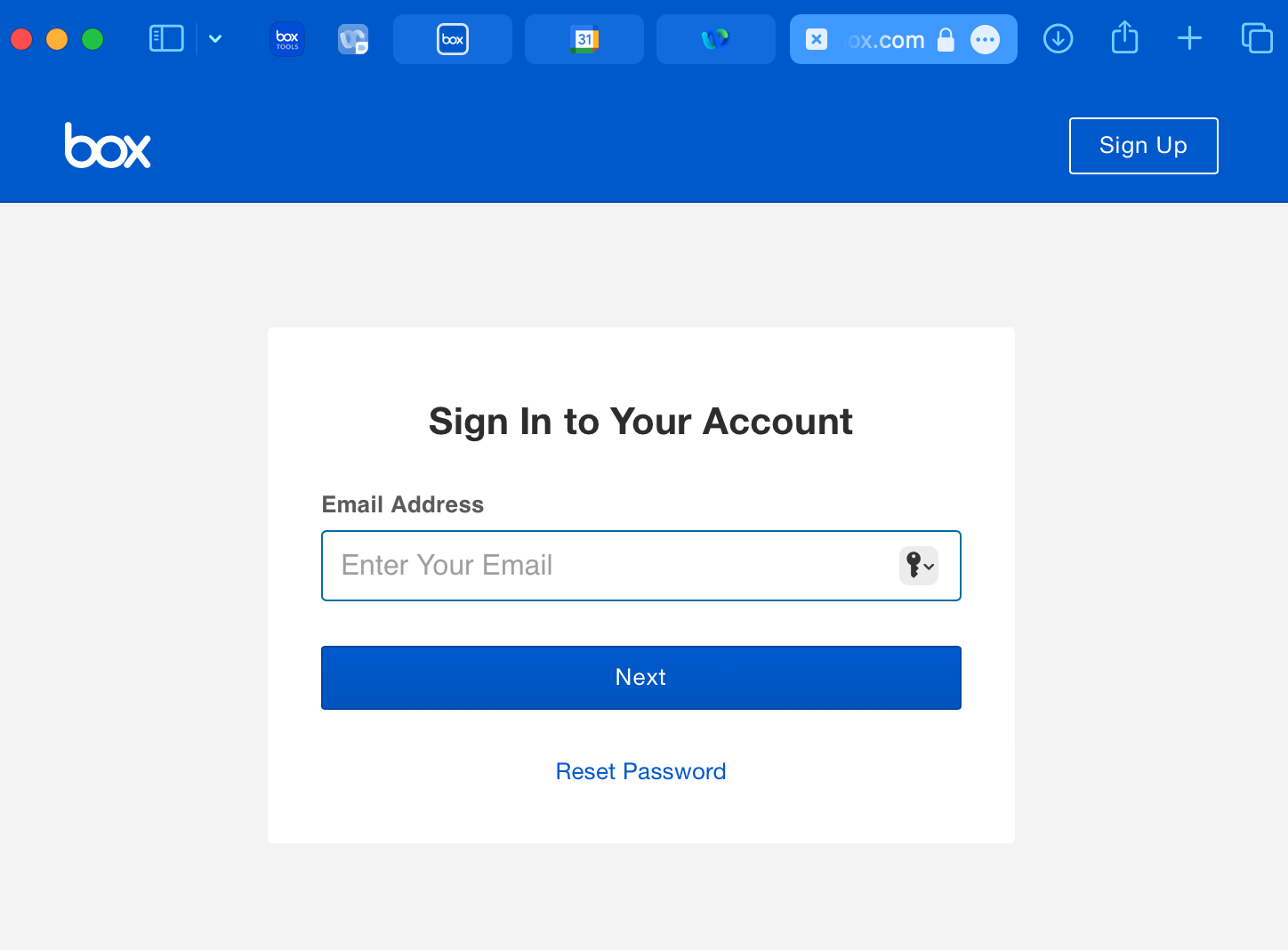
As the account is google, the application does not recognize the login, since the screen that opens when I try to log in through the app has no option to log in with google:
After entering the account email, it redirects to a new login window with an option for the google account, but the app does not recognize this login.
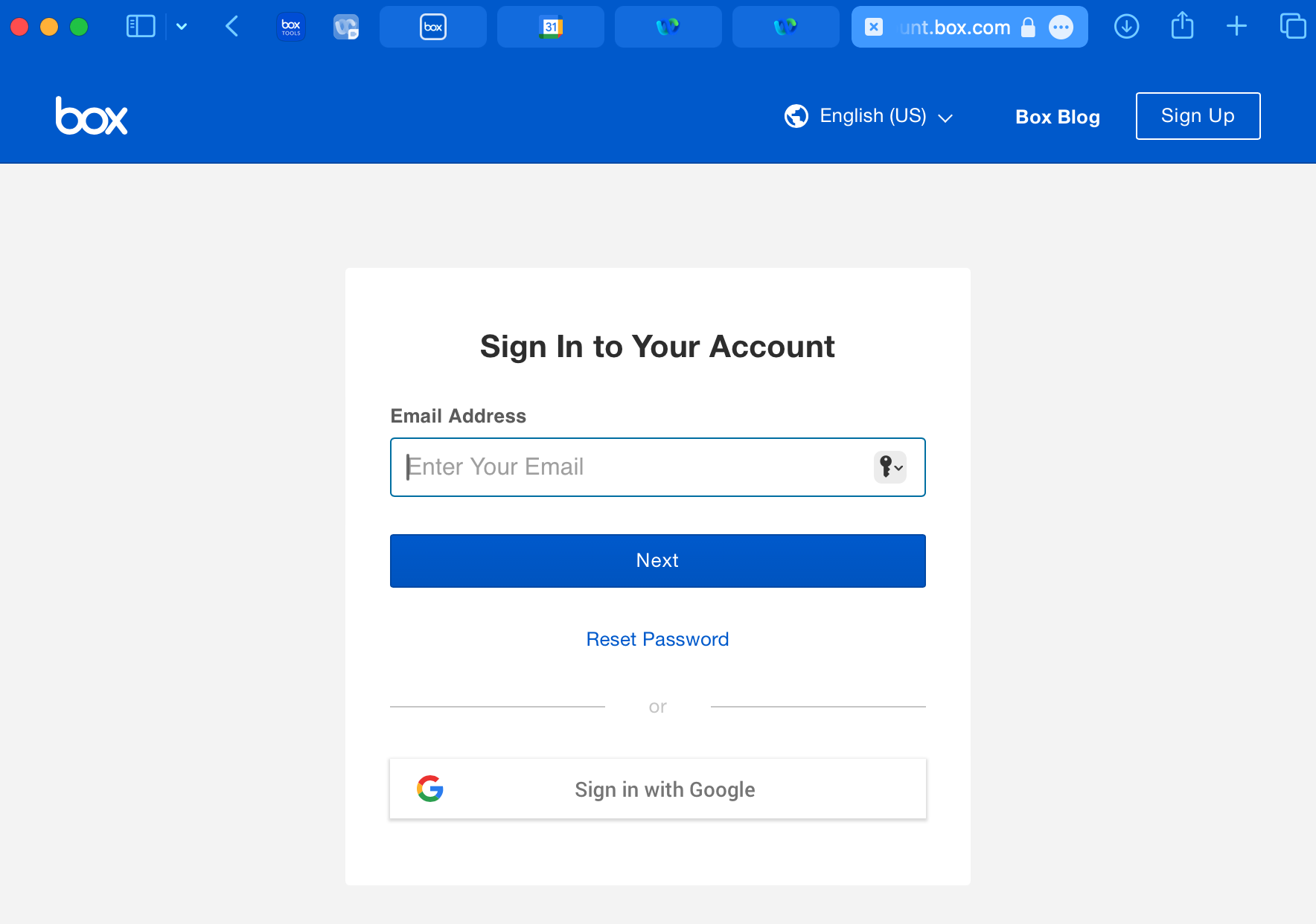
Then it's in this eternal looping.
Thank you for any help.
-

Hi Catherine,
Welcome to Box Community!
I suggest that you manually reset Box Drive. steps below:
To reset Box Drive on Windows
- Exit Box Drive (if it is running). If necessary, use Task Manager to end the Box.exe process.
- Ascertain whether any files exist in C:\users\[USERNAME]\AppData\Local\Box\Box\unsyncedFiles. These are files that have not been uploaded to Box. If these files do exist, and if you want to keep them, copy them to any location outside of C:\users\[USERNAME]\AppData\Local\Box\Box\ (such as your desktop). Proceeding with the steps below deletes these files.
- You may need to show hidden folders to see \AppData.
- Delete this folder: C:\users\[USERNAME]\AppData\Local\Box\Box.
- From RegEdit, delete the registry entries under HKEY_CURRENT_USER/Software/Box/Box to clear Box preferences.
- Restart the Box Drive and follow the prompt to log back in.
If you are still having trouble, please open a support ticket.
To manually reset Box Drive on a Mac (File Provider Extension mode)
- Quit Box Drive if it is running.
- Download and open the Box Reset Tool zip file.
- Open the Box Reset Tool from the Downloads folder.
- Select Restart and then OK to confirm the restart was successful.
- Open Box from your application folder and log back in.
Note: The Box Reset Tool will write logs of actions performed to your Desktop folder under “Box-ResetTool-logs_(<current day>)”.
If there are any issues with the above process, follow these alternative steps to reset Box Drive.
- Quit Box Drive if it is running.
- Open a Terminal window and run the appropriate command based on your macOS version and Box Drive version:
macOS 11.x and macOS 14.x with any version of Box Drive
fileproviderctl domain remove -A com.box.desktop.boxfileprovider; defaults delete com.box.desktop; rm -rf ~/Library/Application\ Support/Box/Box
macOS 12.x and macOS 13.x with Box Drive version 2.35 and earlier
/Applications/Box.app/Contents/MacOS/fpe/streem --remove-fpe-domain-and-archive-unsynced-content Box ; defaults delete com.box.desktop; rm -rf ~/Library/Application\ Support/Box/Box
macOS 12.x and macOS 13.x with Box Drive 2.36 and newer
/Applications/Box.app/Contents/MacOS/fpe/streem --remove-fpe-domain-and-preserve-unsynced-content Box ; defaults delete com.box.desktop; rm -rf ~/Library/Application\ Support/Box/Box
This command will:
- Archive all files that are not synced (not uploaded to Box) from
~/Library/CloudStorage/Box-Boxand move it to a new folder at:-
~/Box-Box (Archive)(macOS 11.x)Note
If you already have a "~/Box-Box (Archive)" folder from a previous manual reset, the folder will be named "~/Box-Box (Archive) 2", or if that name is already taken, "~/Box-Box (Archive) 3", and so on.
-
~/Library/CloudStorage/Box-Box (<current day and time>)(macOS 12.x and newer)
-
- Exclude from the above archive files that are “up-to-date” or synced on Box
- Re-create the parent hierarchy of the archived files
- Archive all files that are not synced (not uploaded to Box) from
- Restart Box Drive and follow the prompt to log back in.
To manually reset Box Drive on a Mac (kernel-based mode)
- Quit Box Drive if it's currently running.
- Navigate to your ~/Library folder: In Finder, click the Go menu, press and hold the Alt (Option) key, and then click Library.
- See if any files exist in ~/Library/Application Support/Box/Box/unsyncedFiles. These are files that have not been synced (not uploaded to Box). If these files do exist, and if you want to keep them, copy them to any location outside of ~/Library/Application Support/Box/Box/unsyncedFiles (such as your desktop) before proceeding with the steps below, which will delete these files.
- Open a Terminal window and run the following command:
defaults delete com.box.desktop; rm -rf ~/Library/Application\ Support/Box/Box
This command will delete Box Drive preferences and application data
- Restart Box Drive and follow the prompt to log back in.
Once you restart Box Drive, you can review any archived unsynced files (File Provider Extension mode) or unsynced files you moved elsewhere (kernel-based mode) and either upload them manually or delete them to free up hard drive space.
Reference: https://support.box.com/hc/en-us/articles/360043697494-Using-Box-Drive-Basics
I trust that the above steps will do the trick. Otherwise, let me know if the problem continues to exist.
Thank you for posting!
Best,
Ann


Please sign in to leave a comment.
Comments
14 comments