Overview of Problem
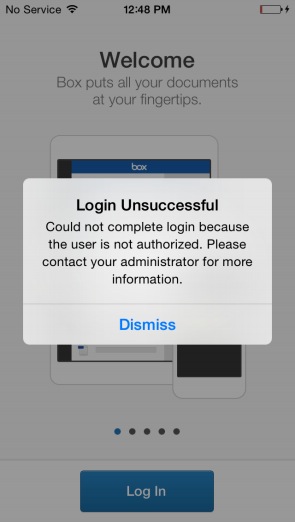
When logging into Box for EMM, you may encounter the error message “the user is not authorized.” This issue arises in scenarios such as:
- You are not part of the Enterprise that provisioned the application.
- The enterprise has filled the key value pairs in the MDM provider console but hasn’t registered with Box to get a Box for EMM instance.
Process for Resolution
-
Verify User Enterprise Membership:
- Log into the Admin Console.
- Check if the user appears in the managed users list.
-
Ensure Correct Box Instance:
- Confirm the user is in the correct Box instance.
-
Register for Box for EMM:
- If the enterprise hasn’t set up Box for EMM, reach out to your Customer Success Manager or Implementation Consultant.
Outcome
- The user should be able to log into Box for EMM without encountering the “user is not authorized” error.
- The enterprise should have a properly registered Box for EMM instance.
Alternatives
If the issue persists, submit a ticket to Box Support with the following details:
- Email address of the user getting the error.
- Timestamp and time zone of the error.
- Screenshot of the error and the ‘More Details’ page (iOS only).
Related Reading:
client_swarm_kb