Overview of Problem
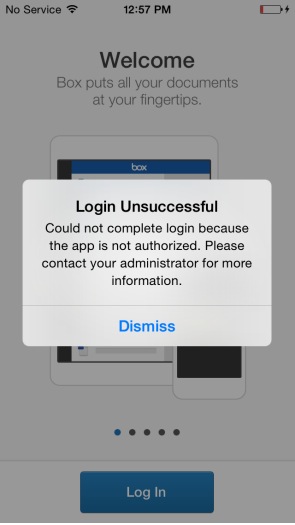
The “App is Not Authorized” error in Box for EMM occurs when the app is not properly provisioned by the MDM provider. This issue affects users trying to log in and can happen if the app is installed directly from the App Store or if the app is transferred between devices. The error prevents users from accessing Box for EMM features.
Process for Resolution
-
Re-provision the Box for EMM Application:
- Uninstall the Box for EMM app from the device.
- Ensure the app is provisioned through the MDM provider.
- Reinstall the app from the MDM provider.
-
Check for Device Transfer:
- If the user transferred the app from one device to another, the MDM provider may not recognize the new device ID.
- Have the app re-provisioned by the MDM provider to ensure the correct managed app configuration is passed to the new device.
Outcome
- You should be able to log in to Box for EMM without seeing the “App is Not Authorized” error.
- The app will be properly configured and authorized by the MDM provider.
Alternatives
- If the issue persists, submit a ticket and include the following:
- Email address of the user getting the error.
- Time stamp and time zone of the error.
- Screenshot of the error and the ‘More Details’ page (iOS only).
client_swarm_kb